



Home Assistant · Standalone thermostat · Release candidate
Comfort at a glance
Temperature, control and context in one considered card. A quiet everyday view, with the detail you need just a tap away.
Read the room
Every detail has a purpose.
The dial, slope ring, status chip and top-row readings each tell you something useful about the room.
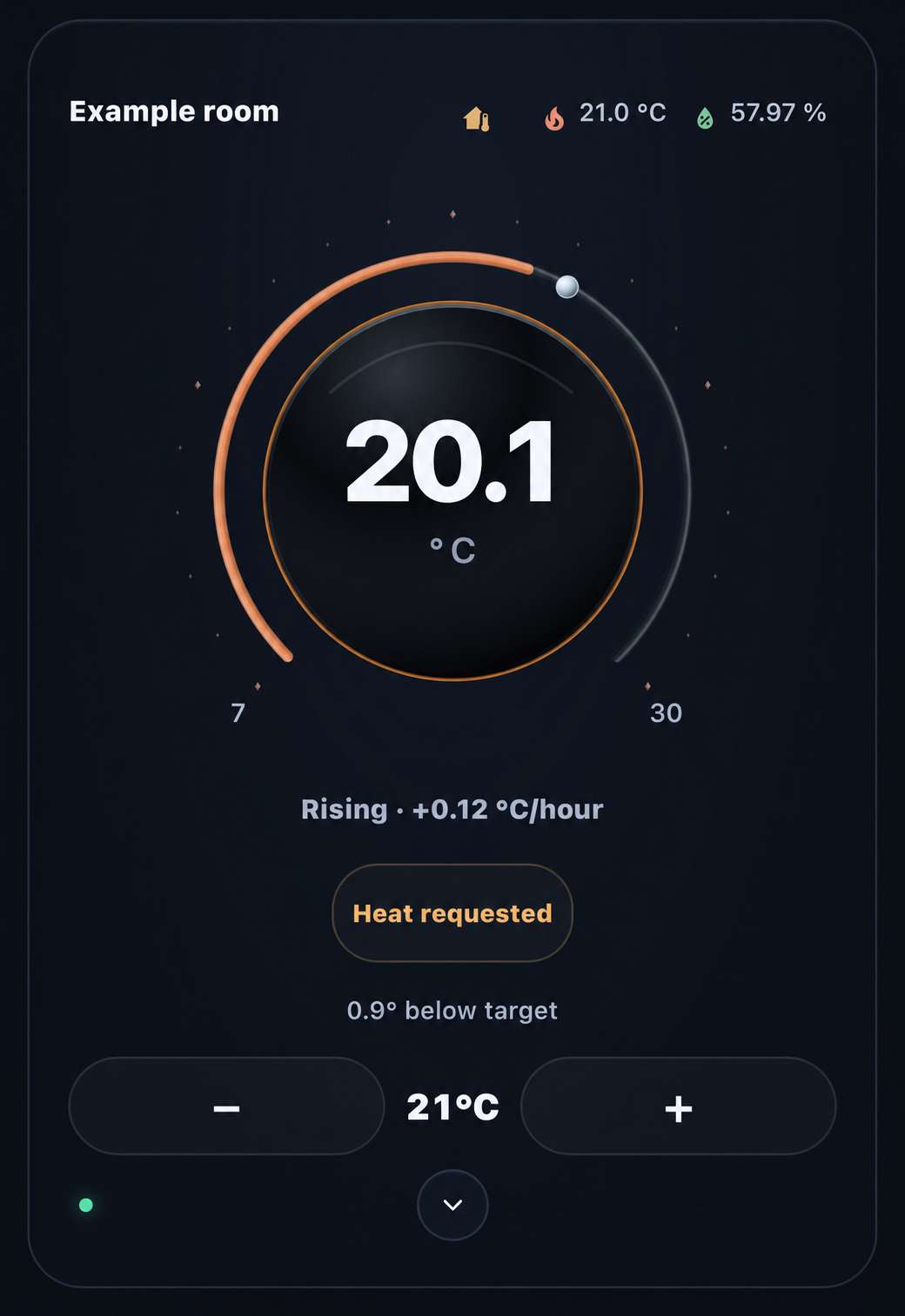
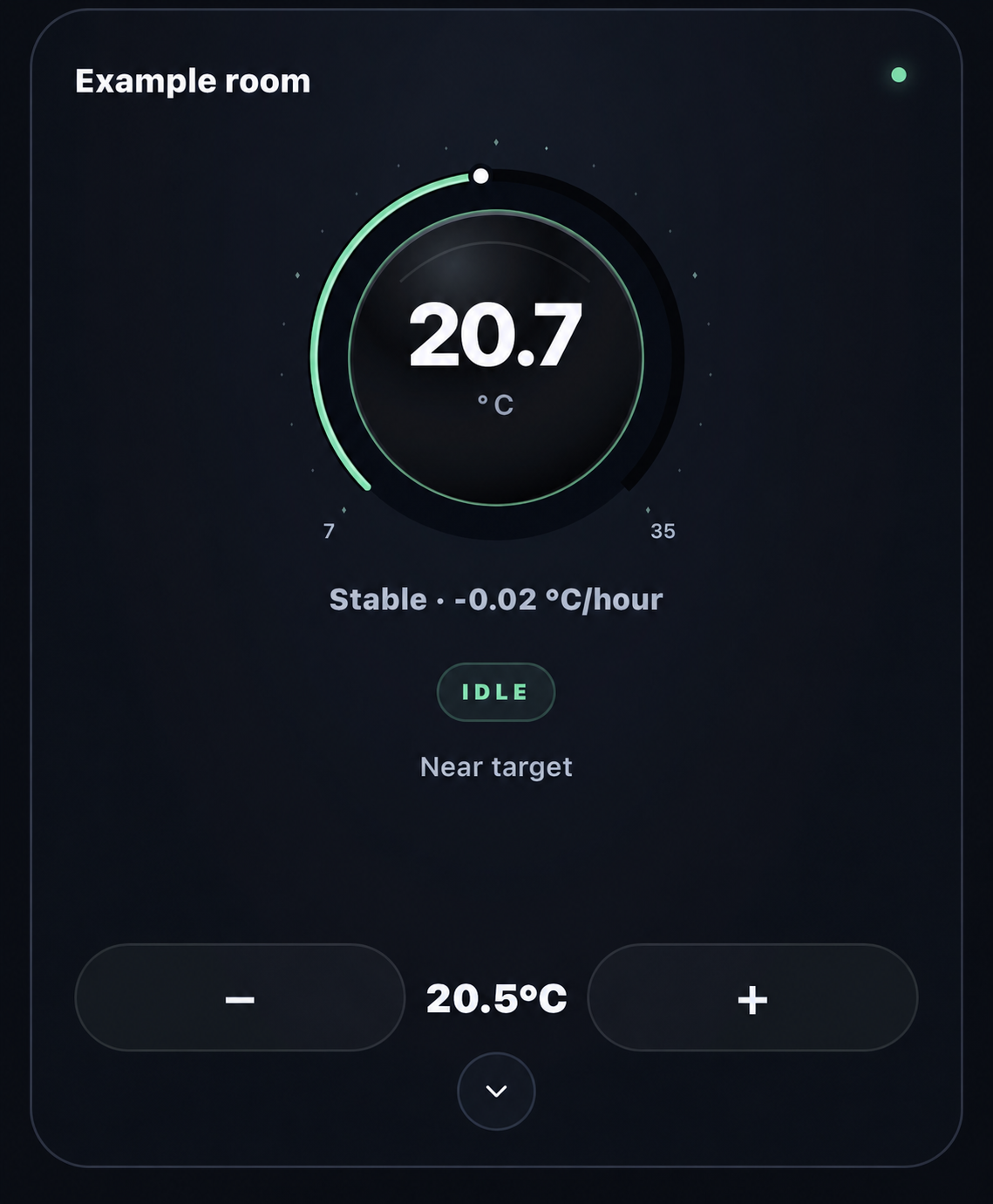
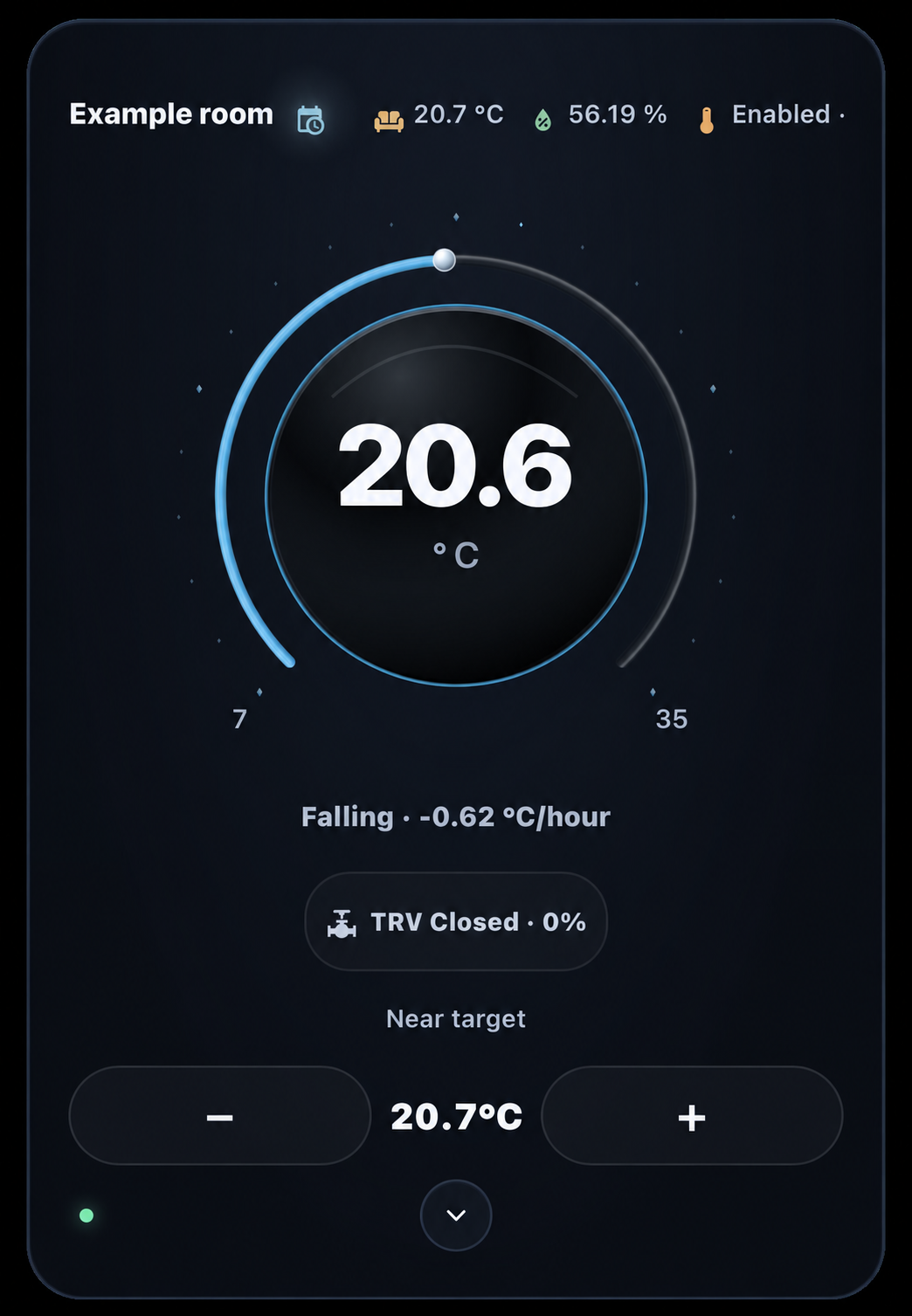
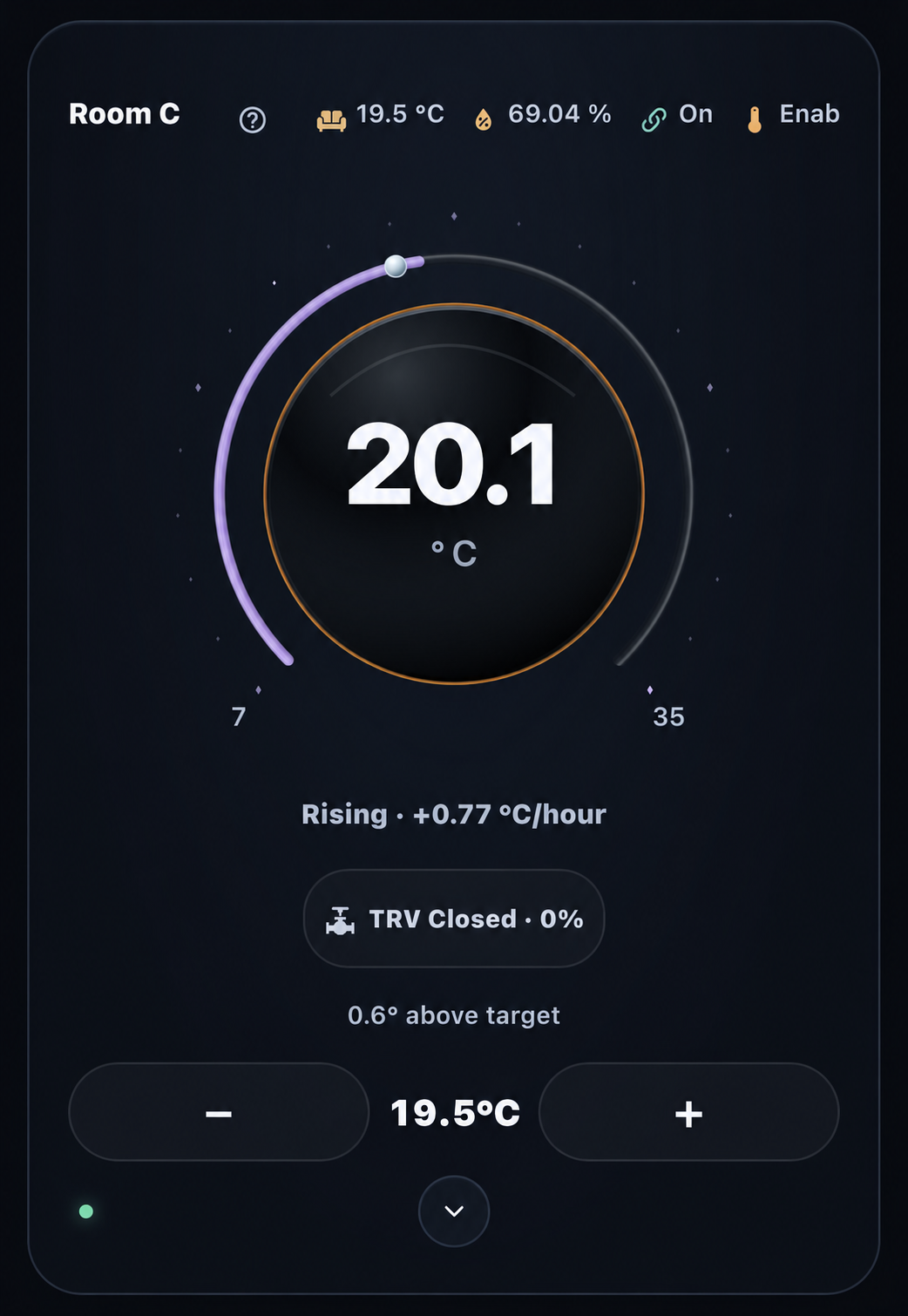
Selected installation examples. Explore the state gallery and image context.
Understand the response
A clearer picture of your room.
- 01The arc and the ring
- The outer arc follows reported state and temperature response. The fine ring shows measured temperature slope, with readable direction, rate and units.
- 02A chip with context
- Heating, Cooling, Idle, a VT heat request or reported valve opening: the chip follows the observations available. Tap to see the source behind the status.
- 03A small LED, a fuller picture
- Green signals readiness; amber highlights restrictions or incomplete observations; red marks disconnection or an unavailable thermostat. Tap for provider details and request status.
- 04Detail when you want it
- The chevron reveals supported modes, presets and provider features. Top-row readings open focused panels. The everyday face stays simple.
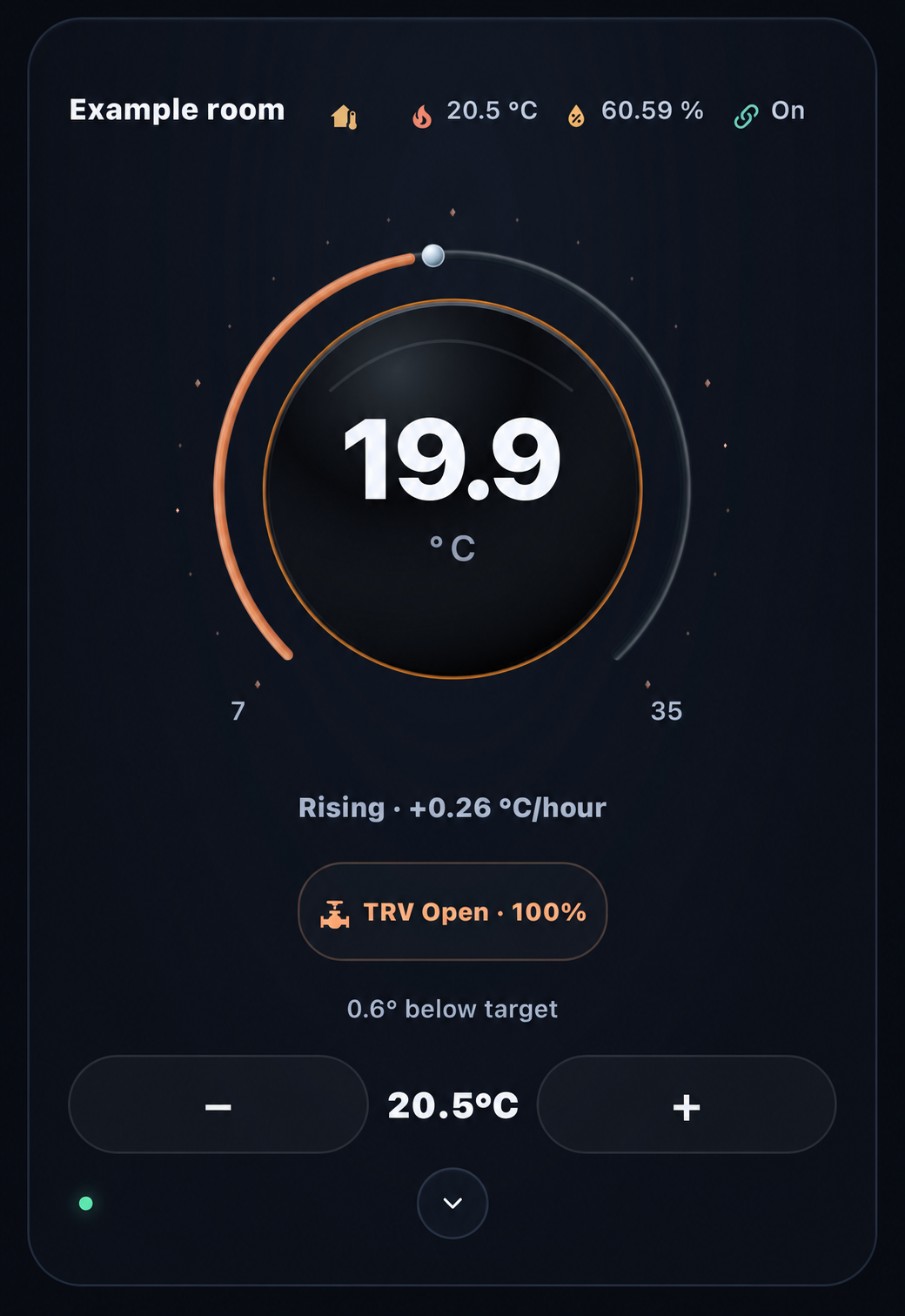
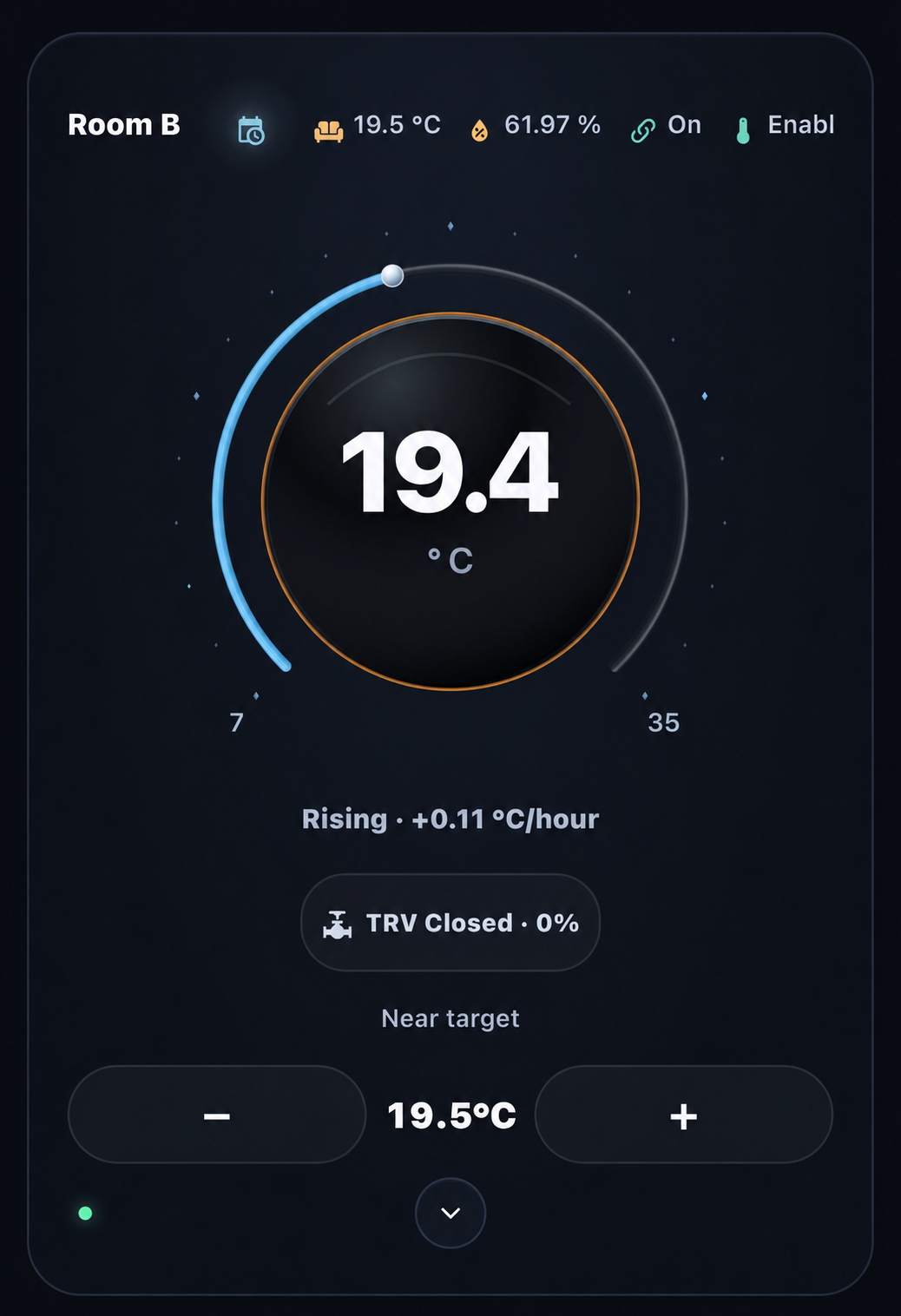
TRV means thermostatic radiator valve. These installation examples show how valve position and temperature trend can vary independently.
Choose your controls
Your readings, arranged your way.
Choose top-row readings, their order, labels and icons for each card. Window, presence and motion have clear states. Humidity follows your display bands, and supported presets keep their own colours.
Make it your own
Choose Midnight Blue, Plum or Black. Set humidity display bands and the details that matter to each room. Save these per-card preferences in Home Assistant’s visual editor.
Work with your thermostat
Start with a standard climate entity or Versatile Thermostat. Add humidity, trend and valve sources independently. Verified administrators can open VT lock controls when the provider’s capabilities are available.
Explore the detail panels
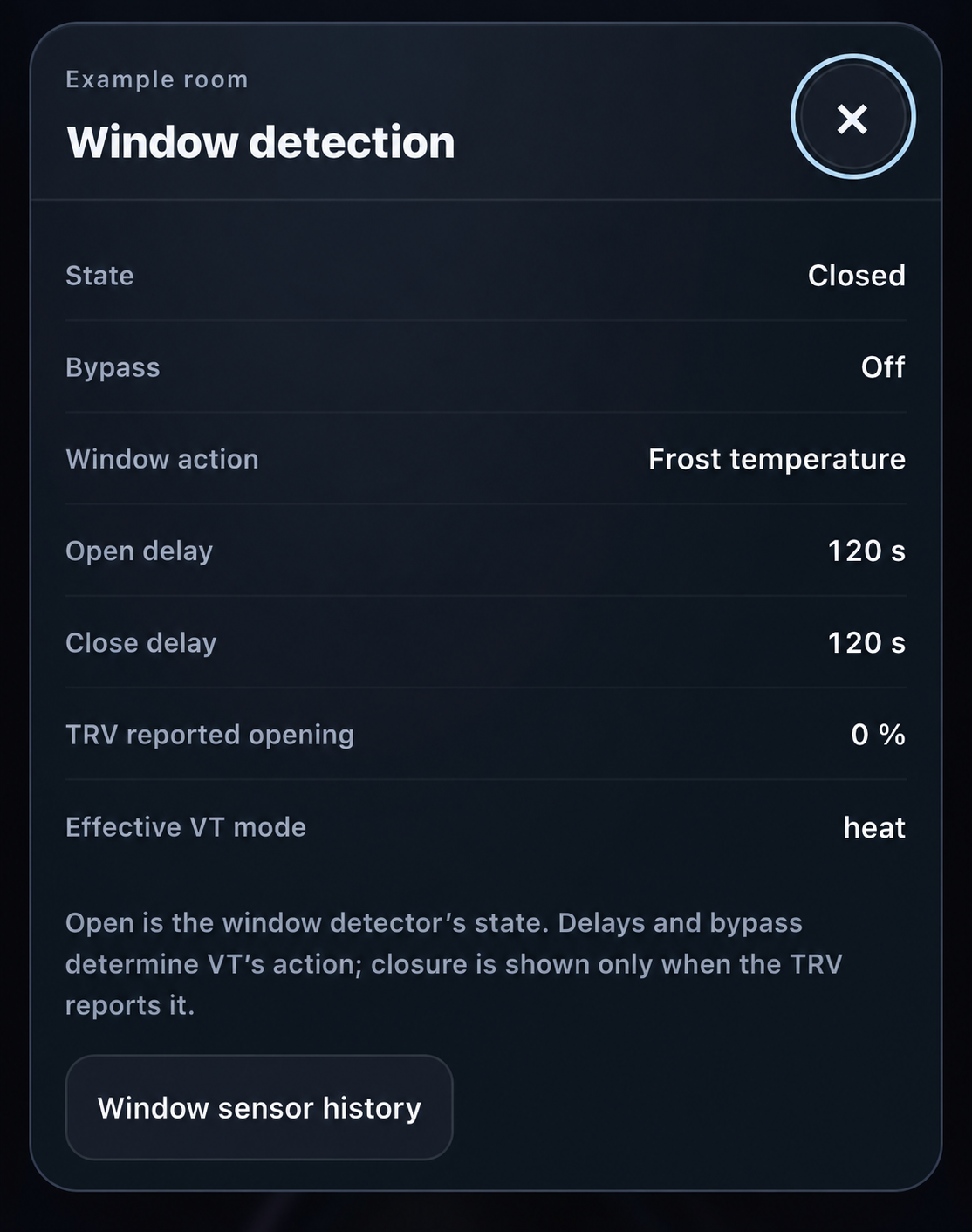
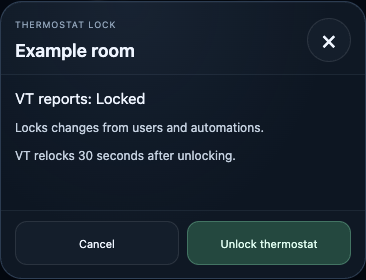
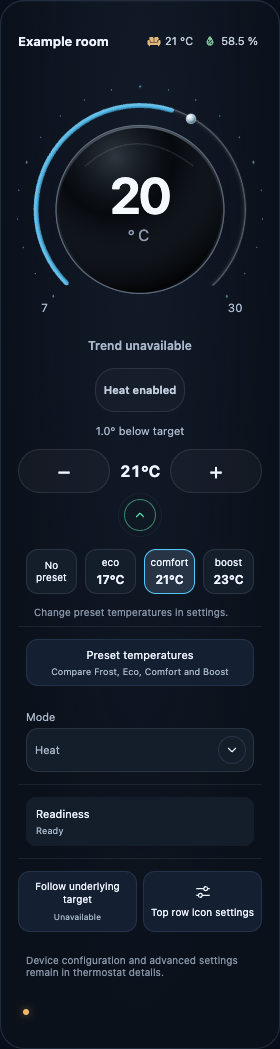
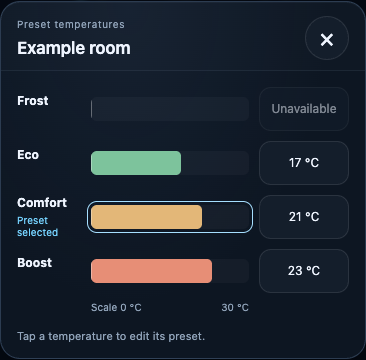
Window: installation example. Lock, controls and presets: beta.2 synthetic captures illustrating retained controls. Image context.
The lock dialog presents the provider’s scope and explicit action. Read lock behaviour and code handling.
From one room to a wider view
At home on your dashboard.
Keep a compact room view or arrange several independently configured cards across a wider screen. Responsive layouts, keyboard access and reduced-motion preferences keep the experience considered.
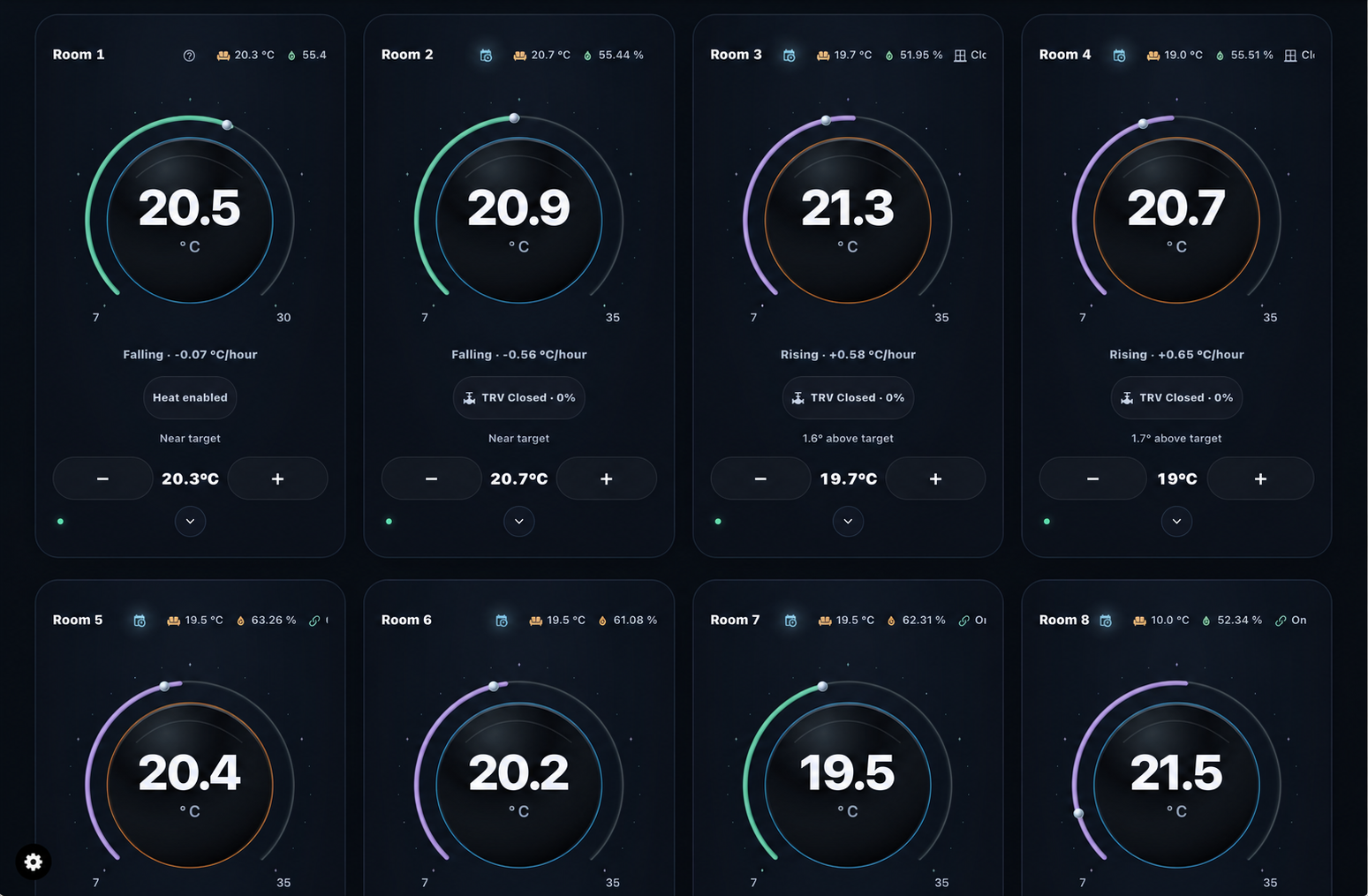
An installation example showing independently configured rooms. Responsive checks and device coverage.
Connected observations
Thermal Intelligence in your home
Your thermostat is part of a wider picture. Independent room sensors, outdoor readings, window and occupancy sensors, and energy sources can all contribute through Home Assistant.
Devices and external data
- Heating hardwareThermostats, TRVs and heat sources
- Room sensorsIndependent temperature and humidity
- Outdoor and weatherOutdoor probes, readings and reported conditions
- Room contextWindow contacts, presence and motion
- Energy and powerMeters, power sensors and reported usage
Through your installed integrations
Home Assistant
- Device and sensor entitiesStates, attributes, units and availability
- Climate providersStandard climate integrations or VT: targets, activity, readiness and accepted feature states
- Configured helpersExisting trend sensors and other derived readings
Selected climate + explicit per-card source mappings
Thermal Intelligence
- Thermostat viewThe selected climate supplies dial temperature, target, supported controls and provider details.
- Independent observationsMapped humidity, trend, valve, power, energy, room/outdoor readings and context feed the header and detail panels.
Each reading keeps its source and status. Optional response mappings combine configured room, trend and output evidence.
Additional sensor and telemetry sources are optional and depend on the integrations you use. Outdoor/weather entries are mapped readings and conditions; control policy stays with the configured provider. Independent sensor readings can reach TI without passing through VT.
Your action → thermostat provider
- TI frontendIntent, target and readiness checks
- Home AssistantSupported services and access checks
- Thermostat providerRegulation and device operation
0.1.0-rc.1
Try the release candidate.
Install the verified RC.1 module, choose your thermostat and configure the card in Home Assistant’s visual editor.
Manual installation today
The RC guide provides the exact module, SHA-256 and rollback steps. Select Thermal Intelligence Thermostat · RC in Add Card. Keep existing TI resources in place and load one trial module at a time.
Installation and rollback →Controlled HACS trial
Prerelease v0.1.0-rc.1 is published for a controlled trial. Upstream HACS validation and isolated installation checks remain pending; this route is not yet recommended for existing installations.
HACS preparation guide →Compatibility and validation
The compatibility record lists the beta.4 baseline and remaining physical-device coverage. RC.1 results are in the RC guide. Marketplace is a future distribution target; stable release acceptance is assessed separately.
Building together
Shape what comes next.
The standalone thermostat is the first component. House Climate, Effective Mode, Heating Control Centre and a portable backend are planned as separate steps.
Contributions
Share reproducible feedback, improve a guide or help with development. Include version details and a redacted configuration when reporting an issue.
Contributing guide →Security
Use private vulnerability reporting for security concerns. The security guide explains the useful details to include and how to protect sensitive information.
Security guide →